Notice Board
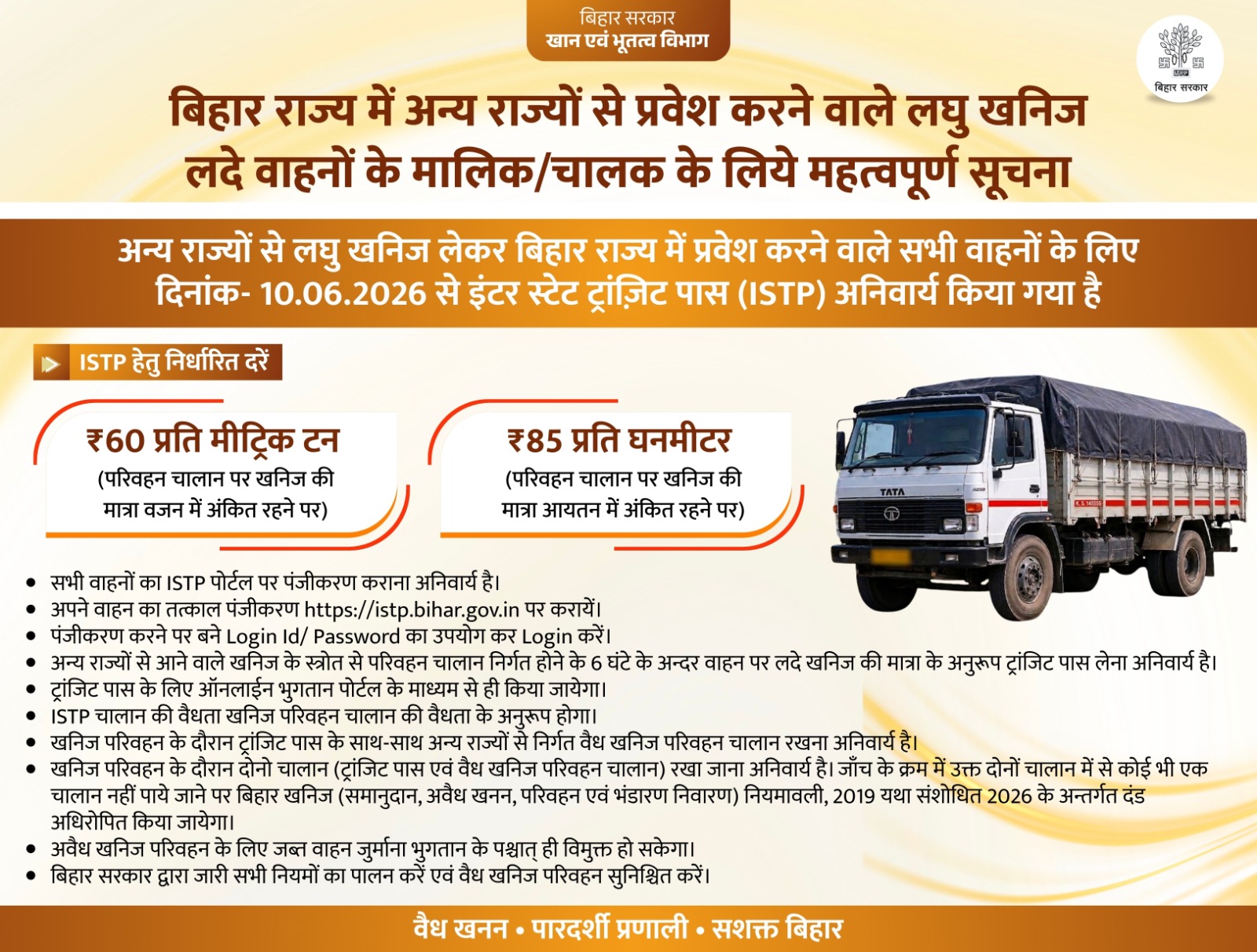
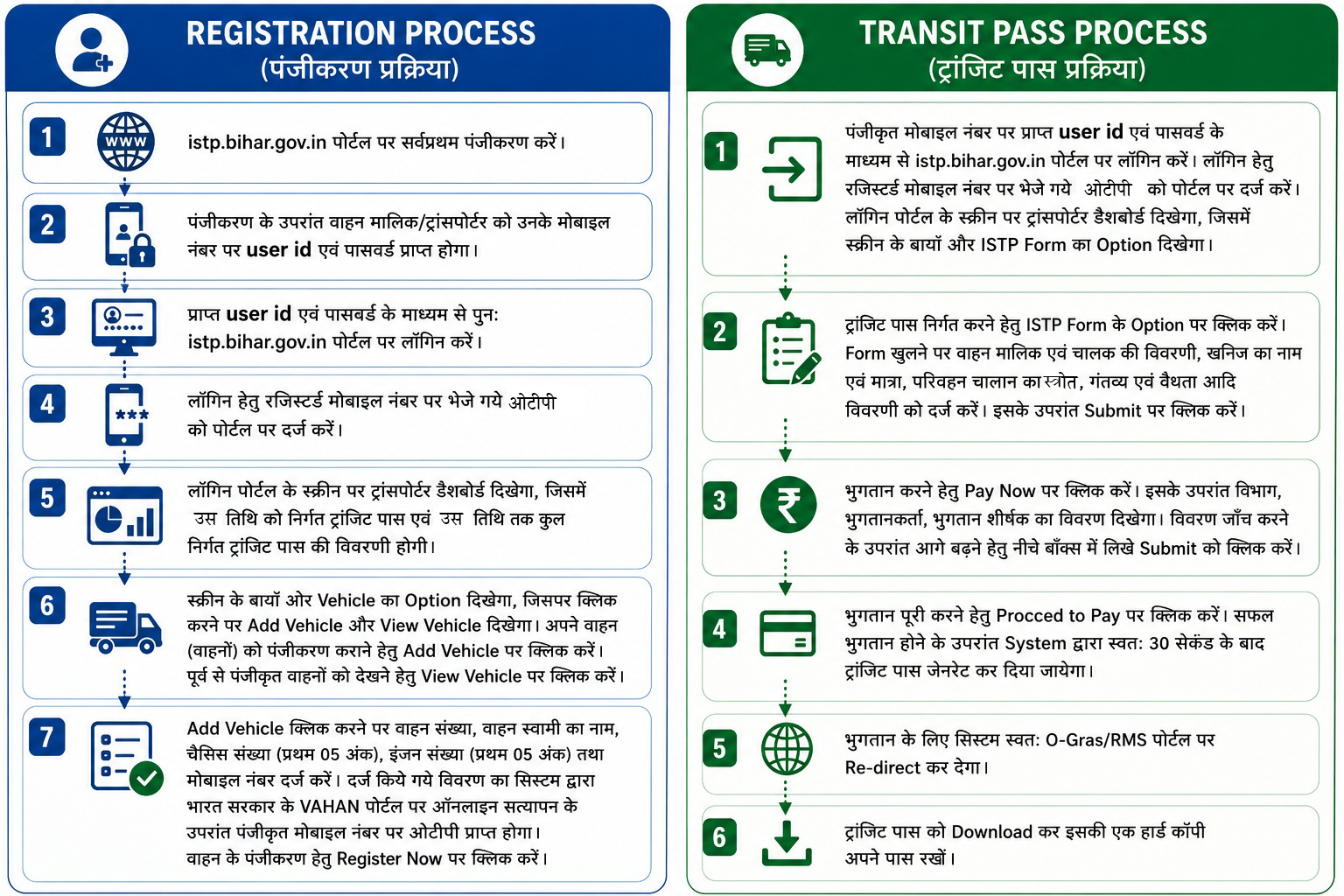
ISTP Workflow




Contact
Address
Mines & Geology Dept., Govt. of Bihar
Call Us
Helpdesk: 0612-2215360
Mob: 9472238821
Email Us
support.istp@gov.in
Frequently Asked Questions
How can a Transporter register on the ISTP Portal?
Visit the ISTP Portal and complete the registration process. After successful registration, Login ID and Password will be sent to the registered mobile number.
How do I login to the ISTP Portal?
Use the Login ID and Password received on your registered mobile number. OTP verification is required during login.
How can I register my vehicle?
Go to Vehicle → Add Vehicle and enter Vehicle Number, Owner Name, Chassis Number, Engine Number and Mobile Number. Vehicle details are verified through VAHAN.
How can I apply for an ISTP?
Select ISTP Form from the dashboard and enter vehicle, driver, mineral, source, destination, quantity and validity details. Submit the form after verifying all information.
How can payment be made?
Click on Pay Now after submitting the ISTP Form. The system redirects to O-GRAS/RMS Payment Gateway for online payment.
When is the Transit Pass generated?
After successful payment, the system automatically generates the Transit Pass within a few seconds. The pass can then be downloaded and printed.
Can I view my registered vehicles?
Yes. Open Vehicle → View Vehicle from the dashboard to see all vehicles registered under your account.